Finding clients
Like lots of things in Kotahi, there are several ways to achieve the same thing. We'll look at 3 main approaches for finding your clients
A video version of this page is available here.
Client search
Probably the quickest and easiest approach to find a particular client is using the search box over on the right hand side.
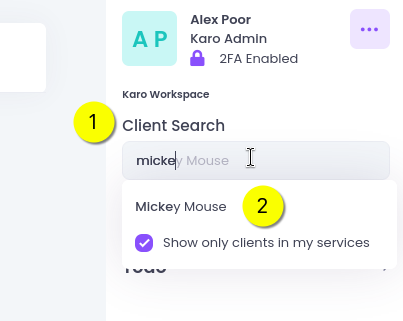
If you start typing it will show clients that match. You can type any part of a name here.
Next, just click on the correct name and it will take you straight to the client record.
Client list
Over on the left side is a more powerful client list. From here you can search and filter to find particular clients or groups of client.
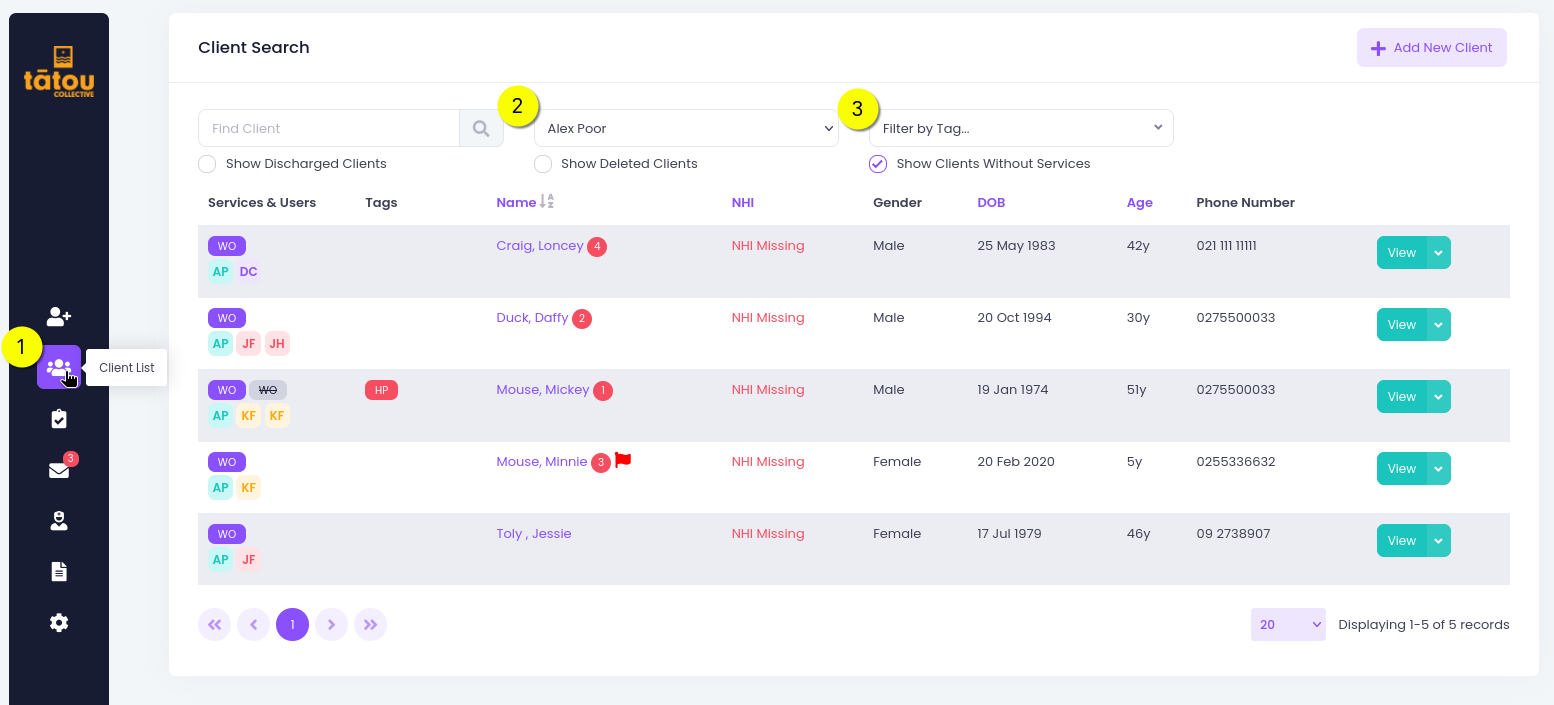
By default it will show clients you are working with, but you can see every client in your service from here if needed - just change item #2 from the above pic to the first option:
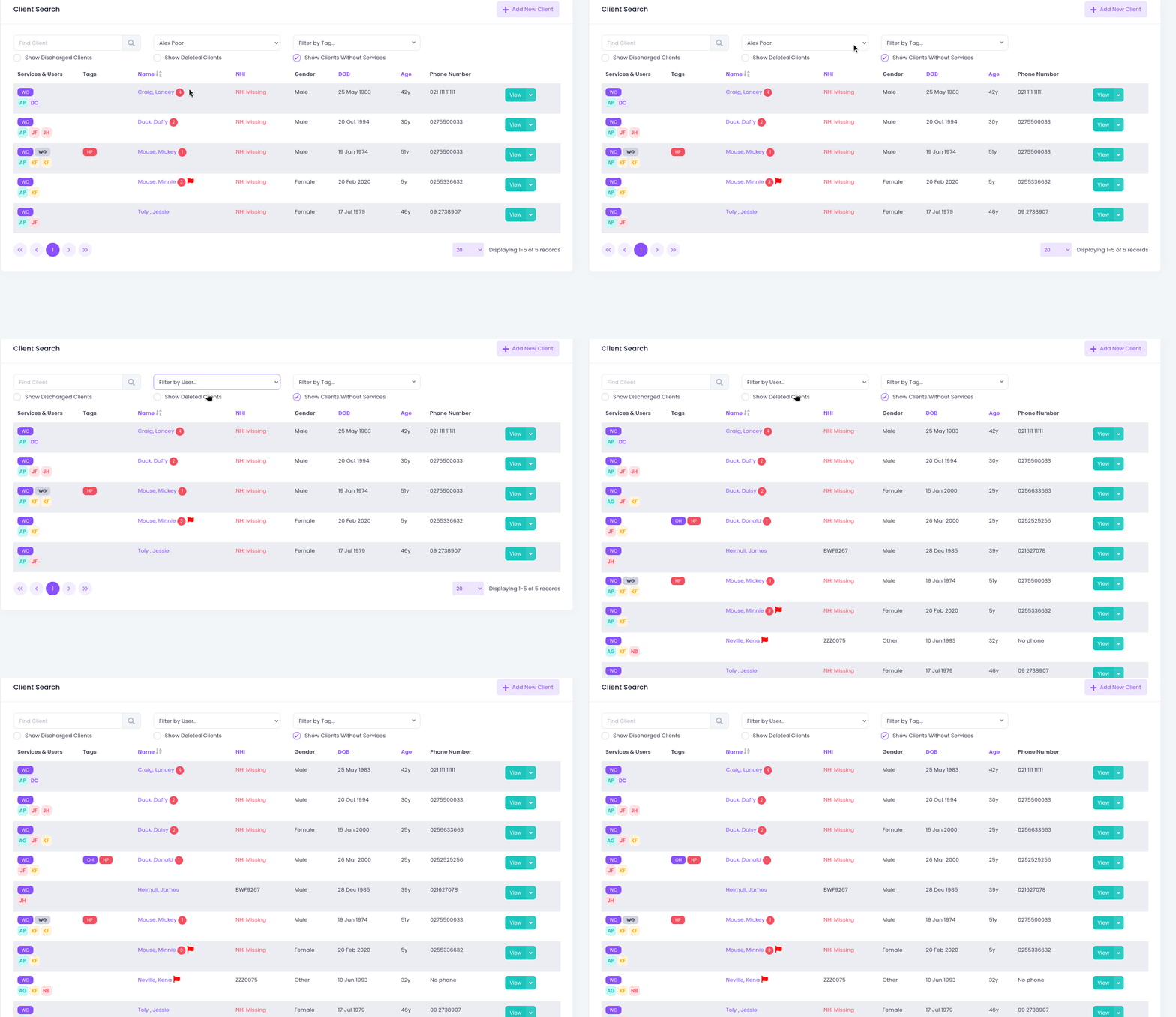
This can be really useful if a colleague is sick or unavailable and you want to check in on their clients.
Just click 'View' next to the client and you'll go straight to that client's record - exactly the same as if we used the Client search approach.
You can also filter clients by tags - we'll come back to this later!
Recent clients
You can always quickly go back to one of the last five clients you viewed, using 'Recent Clients' over on the right.
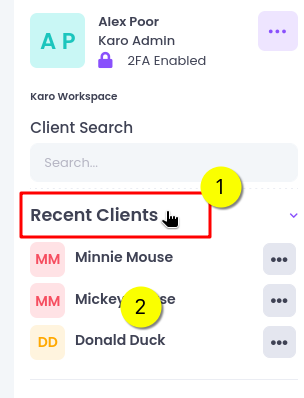
Just click on the client name you want and you'll go straight to their record.